Flashes
Flash, strobe, and pulse effects with adjustable duration, intensity, and easing. Includes custom-color flashes and saveable user presets.
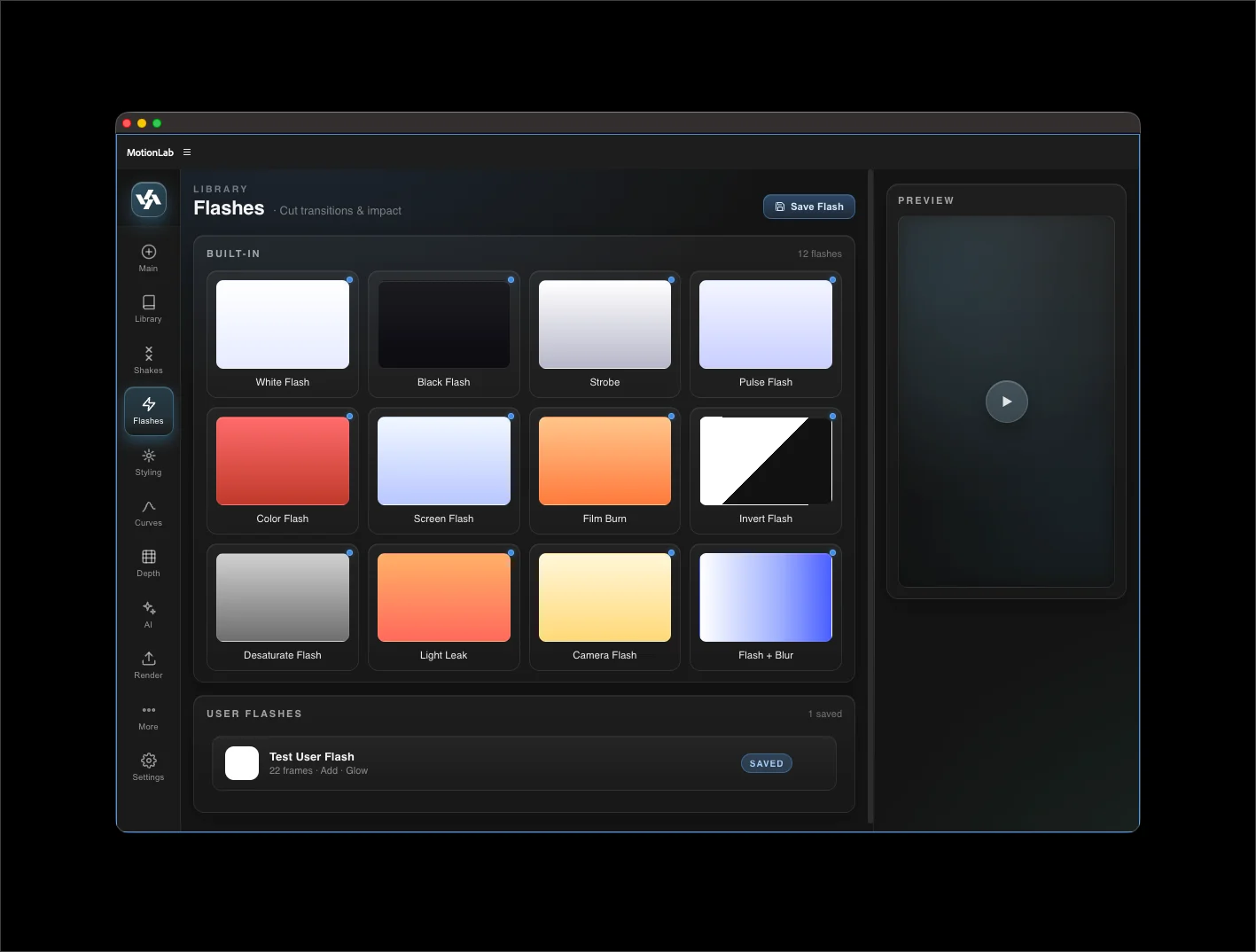
Built-in flashes
- White Flash — full-frame white solid with Add blend mode and quick falloff. The classic impact flash.
- Black Flash — full-frame black solid for cuts to black or impact darkening.
- Strobe — N rapid flashes spread across the duration. Pick white or black.
- Pulse Flash — repeated soft pulses with configurable decay.
- Color Flash — flash in any color via color picker.
- Screen Flash — full-screen exposure burst using AE's Exposure effect.
- Film Burn — warm orange flicker with a film-burn texture feel.
- Invert Flash — momentary color inversion.
- Desaturate Flash — pulls saturation to zero briefly.
- Light Leak — colored corner gradient overlay.
- Camera Flash — emulates a paparazzi flash with falloff and slight tint.
- Blur Flash — a quick blur burst combined with brightness pop.
Common parameters
Most flashes open a param modal with:
- Duration — flash length in frames.
- Intensity — max opacity / strength.
- Easing — keyframe ease shape applied to the falloff.
- Color (where applicable) — color picker for custom-color flashes.
Preview panel
Hover any flash button to preview the effect in the always-visible preview panel on the right. Mouse-leave resets to placeholder.
User Flashes
Save your own custom flash by building it on a solid layer, then capturing it as a preset. Saved flashes preserve the solid color and every effect on the source layer, so you can rebuild complex looks reliably.
Saved flashes live in {USER_DATA}/MotionLab/saved-flashes.json.
Reversed layers
Flashes anchor to the visible start of the selected layer regardless of stretch direction — a flash applied to a reversed clip still lands at the beginning of the clip on the timeline.