Shakes
Ten built-in camera shake presets plus unlimited user-saved custom shakes. One click adds a 20-frame adjustment layer above the selected layer with motion tile, displacement, optics compensation, and motion blur pre-wired.
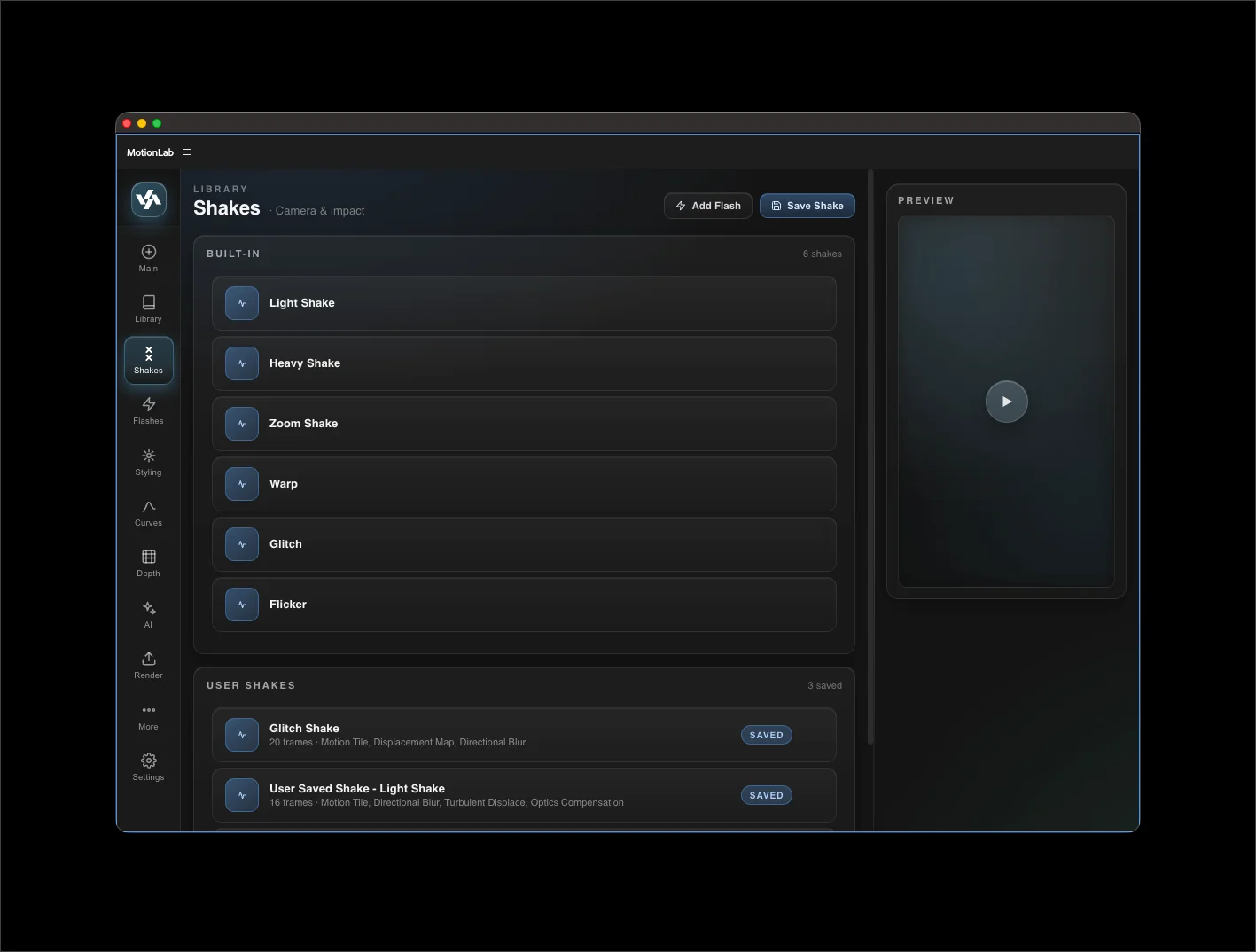
Built-in shakes
- Light Shake — subtle hand-held wobble.
- Heavy Shake — punchy, useful on impacts.
- Zoom Shake — adds a zoom-out flicker.
- Rotation — adds a rotational kick.
- Smooth Handheld — slower, organic drift.
- Warp — heavy lens-warp distortion.
- Glitch — sharp horizontal/vertical displacement bursts.
- Squeeze — aspect-ratio pulse.
- Flicker — exposure flicker on top of shake.
- Wave — gentle rolling motion.
Preview panel
Hover any shake button to play a short preview clip in the always-visible preview panel on the right. Mouse-leave resets to the placeholder.
Add Flash on apply
Toggle the Add Flash checkbox in the panel header to automatically add a white flash transition when applying any shake — handy for impact moments. The flash is added at the same point as the shake.
User Shakes
Build a shake of your own on an adjustment layer, then save it for later. See Save a Custom Shake for the step-by-step.
Saved shakes live in {USER_DATA}/MotionLab/saved-shakes.json. Each captures every effect and keyframe on the source adjustment layer, plus its duration.