License & Tiers
MotionLab ships with a free 14-day demo that includes every feature. After the demo ends, pick the tier that matches the work you do.
Free 14-day demo
On first launch, MotionLab starts a 14-day demo automatically — no card, no signup. The demo unlocks every tab. Use it to evaluate the full product before committing.
Tier comparison
Tabs unlocked per tier:
- Starter — Main, Library (Presets only), Shakes, Flashes.
- Pro — adds Styling Workflows and the Sounds sub-tab inside Library.
- Full — adds Curves and AI. Depth Map coming soon.
See Pricing for the latest prices and what's bundled with each.
Activate your license
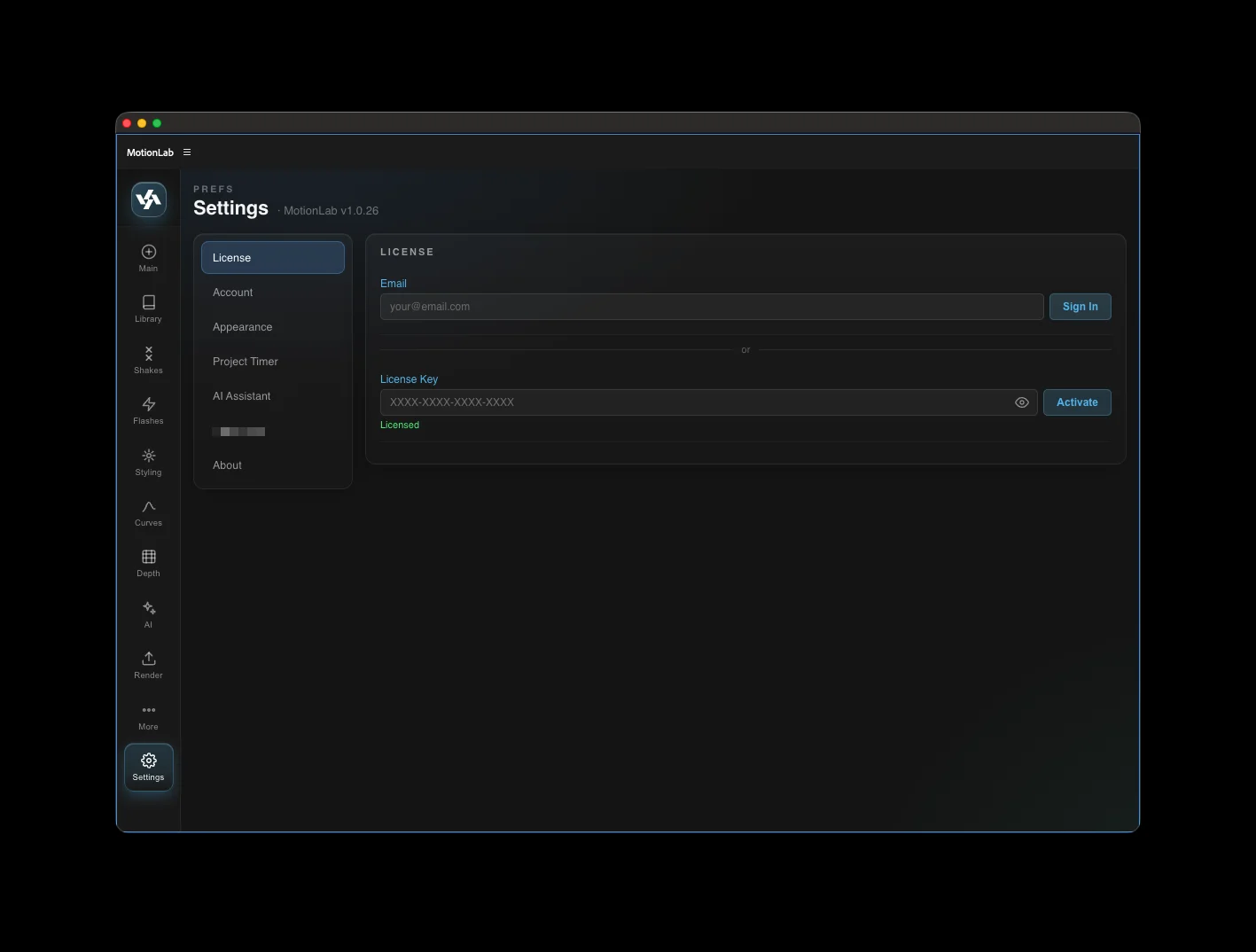
- Open Settings → License.
- Paste the license key sent to your purchase email into the License Key field.
- Click Activate. The status flips to green and tabs unlock based on your tier.
Devices per license
Each license is good for up to two devices — for example, a desktop and a laptop. Activating on a third device will prompt you to deactivate one of the existing two.
Manage your account
From Settings → Account you can:
- See your active license tier and email.
- Click the license key (when shown) to copy it to your clipboard.
- Sign out to free up a device slot.
Upgrade or downgrade
Tier changes are processed by our payment provider. After upgrading, MotionLab will detect the new tier at the next license check and unlock the additional tabs.